Option to Enable or Disable Auto-Format in IDE
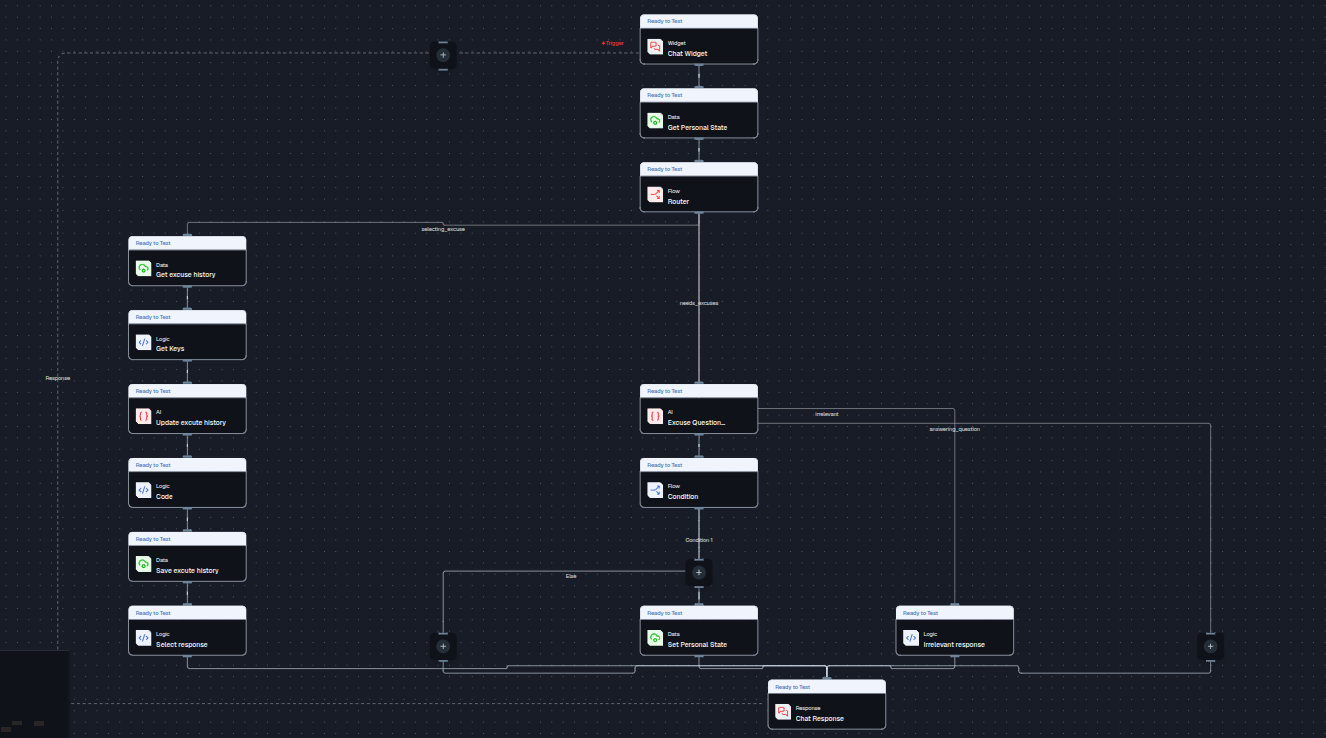
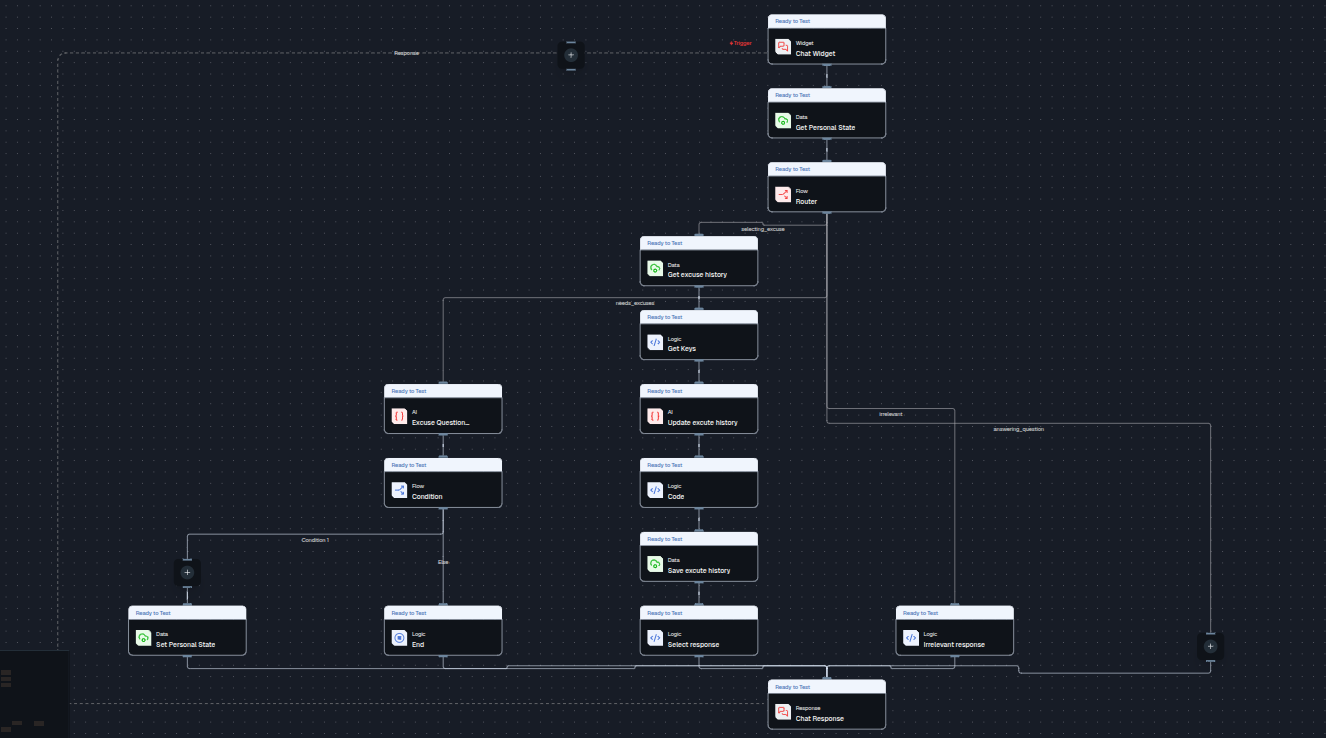
Feature - When nodes are added or removed in the flow UI, the layout automatically re-formats.
Why - This causes unexpected changes in the flow's appearance, leading to a frustrating user experience.
Where would it help most - This feature gives users control over the flow formatting behavior, improving usability and reducing frustration.
Extras - Introduce a toggle switch that allows users to choose whether they want auto-formatting enabled or disabled.
Auto-format ON: The flow automatically adjusts layout when nodes change.
Auto-format OFF: The flow layout remains unchanged, preserving the user’s manual arrangement even when nodes are added or removed.
Sample format Image before adding END Node
Format image after adding END Node
Log in to comment and vote
No comments yet
Be the first to share your thoughts.