Introducing Model & Node Logic with Feedback API
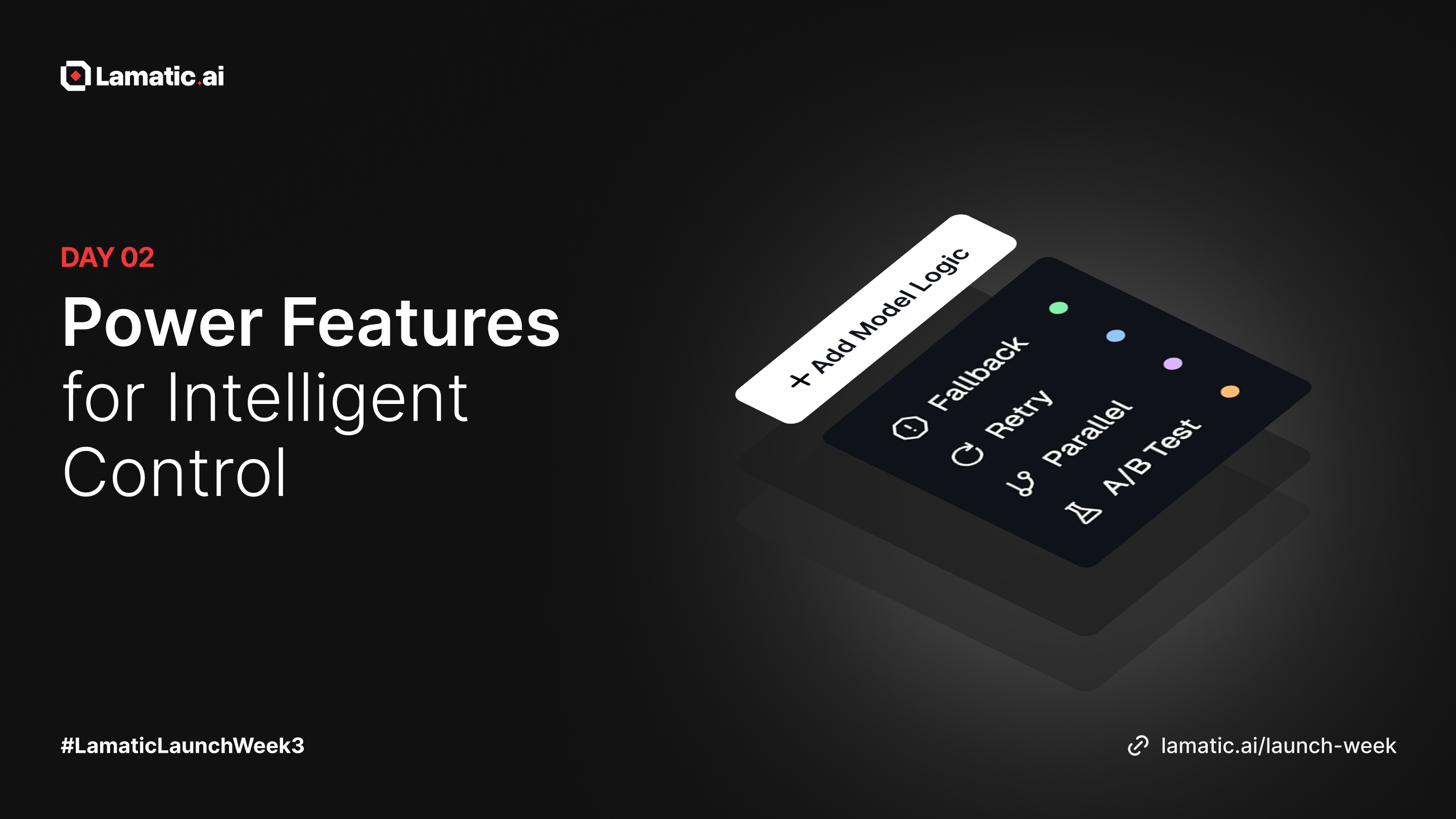
Powerful Control for Smarter, More Reliable AI Flows
Introducing Node and Model Logics

Whether you're optimizing performance, handling failures gracefully, or experimenting with different model setups, Model Logic makes your flows smarter, faster, and more resilient.
Node Logic : Smart Agentic Flows
We’re also rolling out Node Logic, giving you deeper control over how any node behaves inside your flows. This upgrade makes your flows more dynamic, responsive, and flexible, perfect for building smarter automation with less effort.
With Node Logic, you can control how a node executes, handles errors, and routes execution based on conditions. Here’s what you can now do:
Fallback: Switch to a backup node if the primary one fails or times out
Retry: Automatically retry execution with custom attempts and delays
Go Back: Route execution back to earlier nodes based on conditions
Parallel: Run multiple node configurations at the same time
A/B Test: Split execution between two node setups with configurable percentages
Checkout the docs
Model Logic : Smarter Model Routing
We’re excited to introduce Model Logic, a powerful upgrade that gives you more control over how your model nodes behave in Lamatic Studio. From A/B testing and fallbacks to parallel execution, Model Logic makes your workflows smarter, faster, and more reliable.
Whether you’re improving performance, handling errors, or testing different model setups, Model Logic helps you build stronger and more flexible AI flows.
Here’s what you can now do with Model Logic:
Fallback — Switch to a backup model if the primary one fails or times out
Retry — Automatically retry model execution with custom attempts and delays
Parallel — Run multiple model configurations at the same time
A/B Test — Split traffic between two model setups with your chosen percentages
Checkout the docs to learn more
How to Use

You can now add logic directly within any Model Node:
Select a model node
Open Node Config → MODEL → Logic
Click + Add Logic
Choose from:
Fallback
Retry
Parallel
A/B Testing
Configure and save
Logic Types
1. Fallback Logic: Automatic Backup When Things Go Wrong

Ensure uninterrupted execution by automatically switching to a backup model when the primary model times out or fails. Perfect for high-availability workflows and mission-critical automations.
Use when:
✔ Primary models may sometimes delay or fail
✔ You need a reliable fallback strategy
Checkout the docs
2. Retry Logic: Automatic Recovery from Temporary Failures
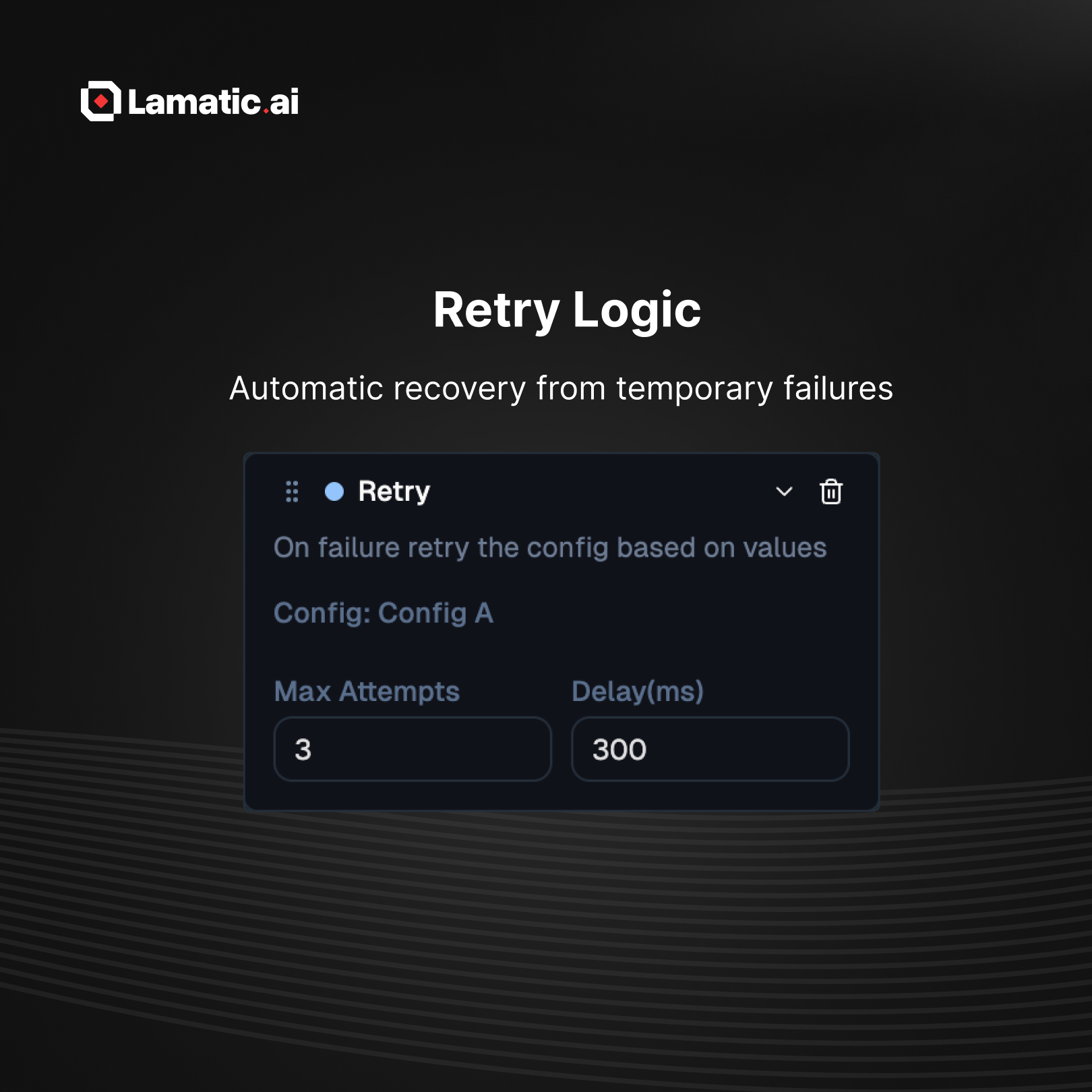
Handle transient issues like rate limits or intermittent network errors by retrying model execution with configurable attempts and delays.
Use when:
✔ APIs occasionally timeout
✔ You want automatic recovery without manual intervention
Checkout the docs
3. Parallel Execution: Run Models Side by Side

Execute multiple model configurations at the same time. Compare outputs, fuse insights, or improve speed by running tasks concurrently.
Use when:
✔ Comparing multiple models
✔ Combining outputs from different model types
✔ Reducing total execution time
Checkout the docs
4. A/B Testing: Experiment with Model Variants
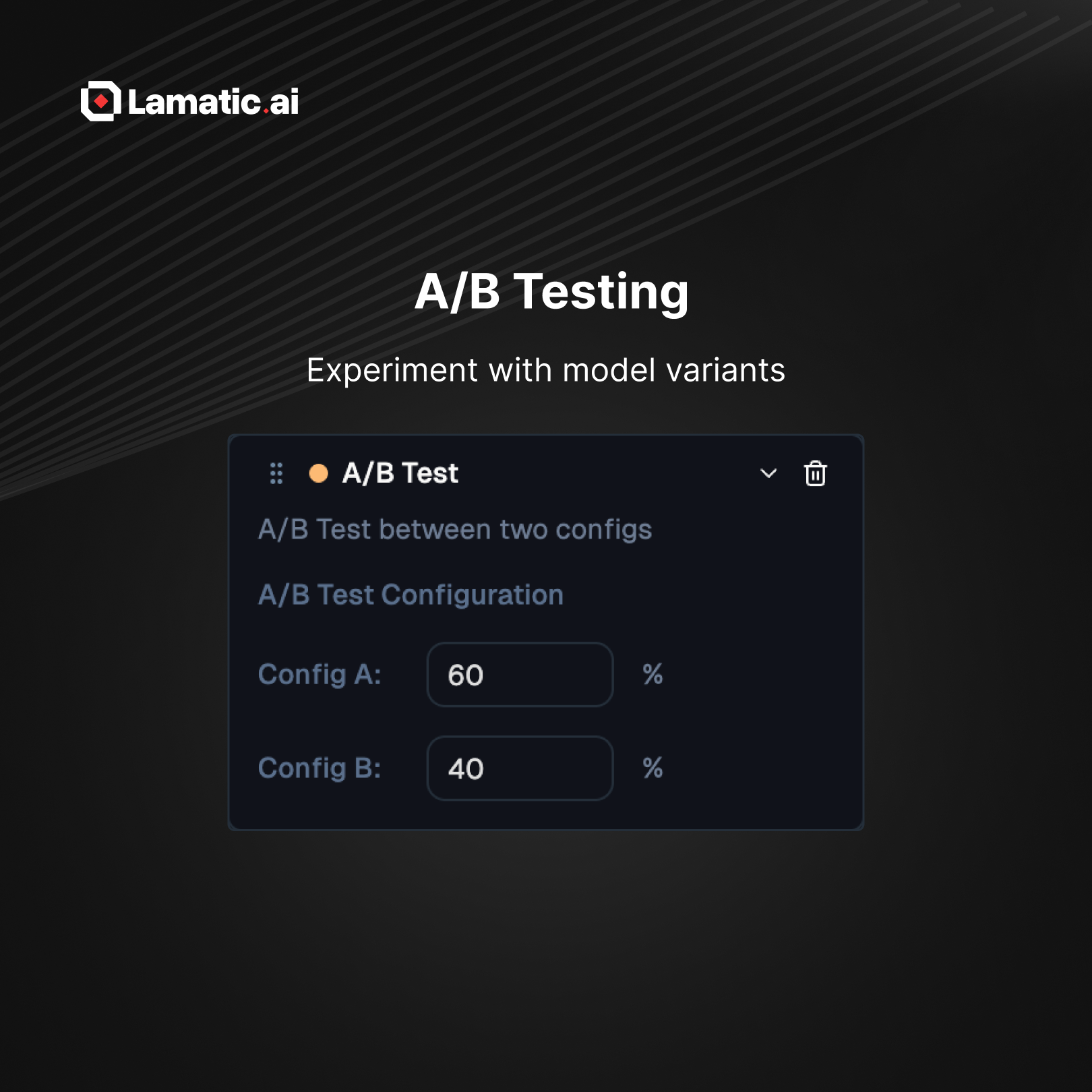
Split traffic between two model configurations using customizable percentages. Test prompts, models, or fine-tuned versions before rolling them out fully.
Use when:
✔ Testing new model setups
✔ Release in steps
✔ Performance comparison and benchmarking
Checkout the docs
Pro Tips
Use Fallback with a lightweight backup model for maximum reliability
Set safe retry delays to avoid hitting rate limits
Add safeguards for Go Back loops to prevent infinite cycles
Run A/B tests long enough to produce meaningful insights
Use Parallel only when you genuinely need both outputs
Feedback API
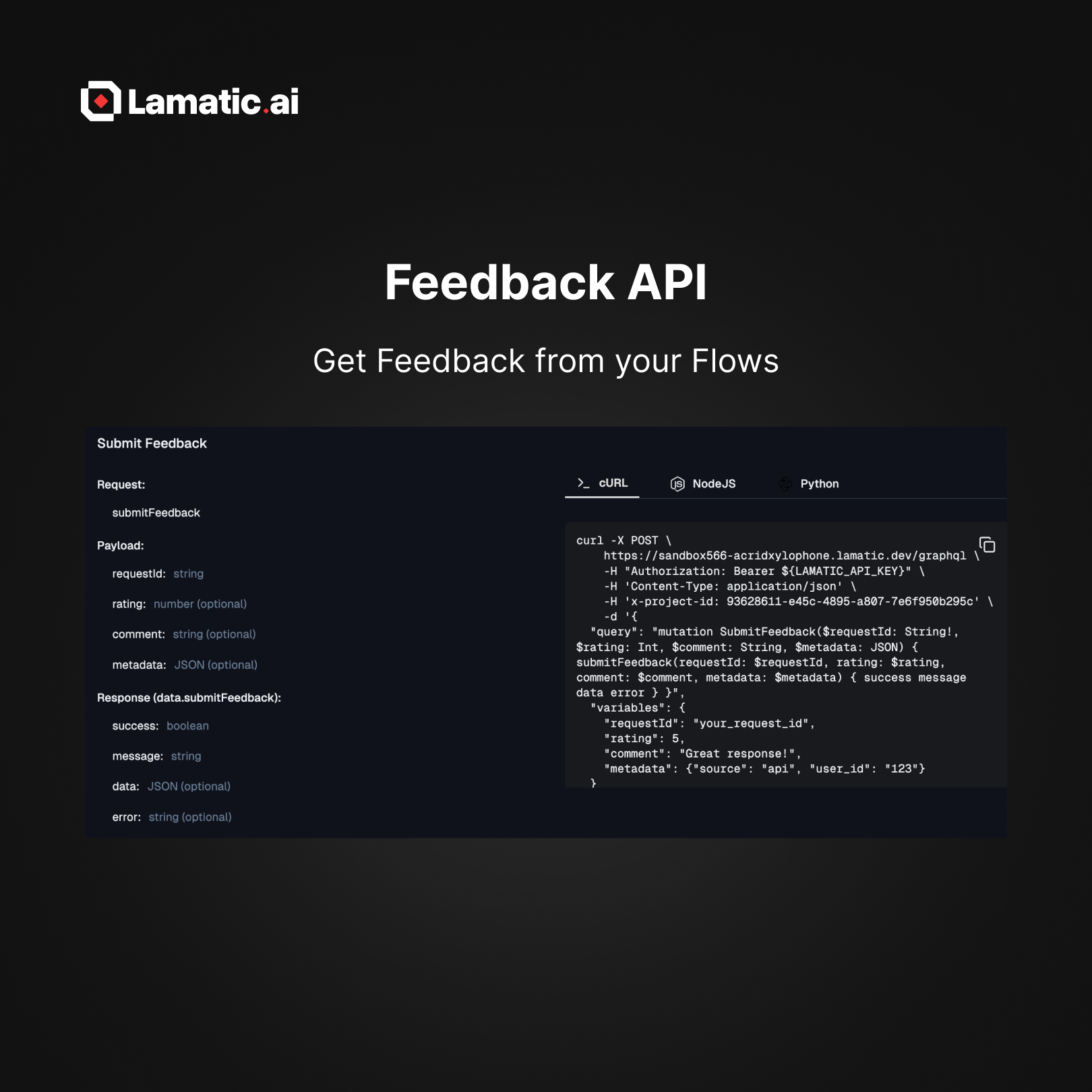
We’re excited to introduce the Feedback API, a simple yet powerful way to collect user feedback directly from your flows, especially when using GraphQL APIs. This helps you understand user satisfaction, track response quality, and continuously improve your AI workflows.
With the Feedback API, you can now:
Collect ratings, comments, and custom metadata for any flow execution
Automatically send feedback using the
requestIdreturned from your GraphQL API callView all submitted feedback inside the Reports section
Use insights to optimize prompts, tune models, and improve overall user experience
Checkout the docs
🎉 Join Us for the Celebration
Lamatic.ai 3.0 | Product Hunt
We are launching our new release on Product Hunt! Your upvotes and comments mean the world to us.
Join us: https://lamatic.ai/launch-week
