Changelog

Follow new updates and improvements to Lamatic.ai.

Handle documents with ease: Merge, split, and edit PDFs right from your flow
You have a flow that generates a report. Now you need to staple a cover page to the front, drop the internal-only appendix, and stamp the client's name in the document title. None of that is AI work; it's plumbing, but until now it meant chaining nodes, writing a Code node, or handing the file off to an external service and waiting for it to come back.

The Document Handling node handles each of those directly. Point it at a PDF, pick the operation, get a file back. No Code node, no round trip to an external service.
What it does

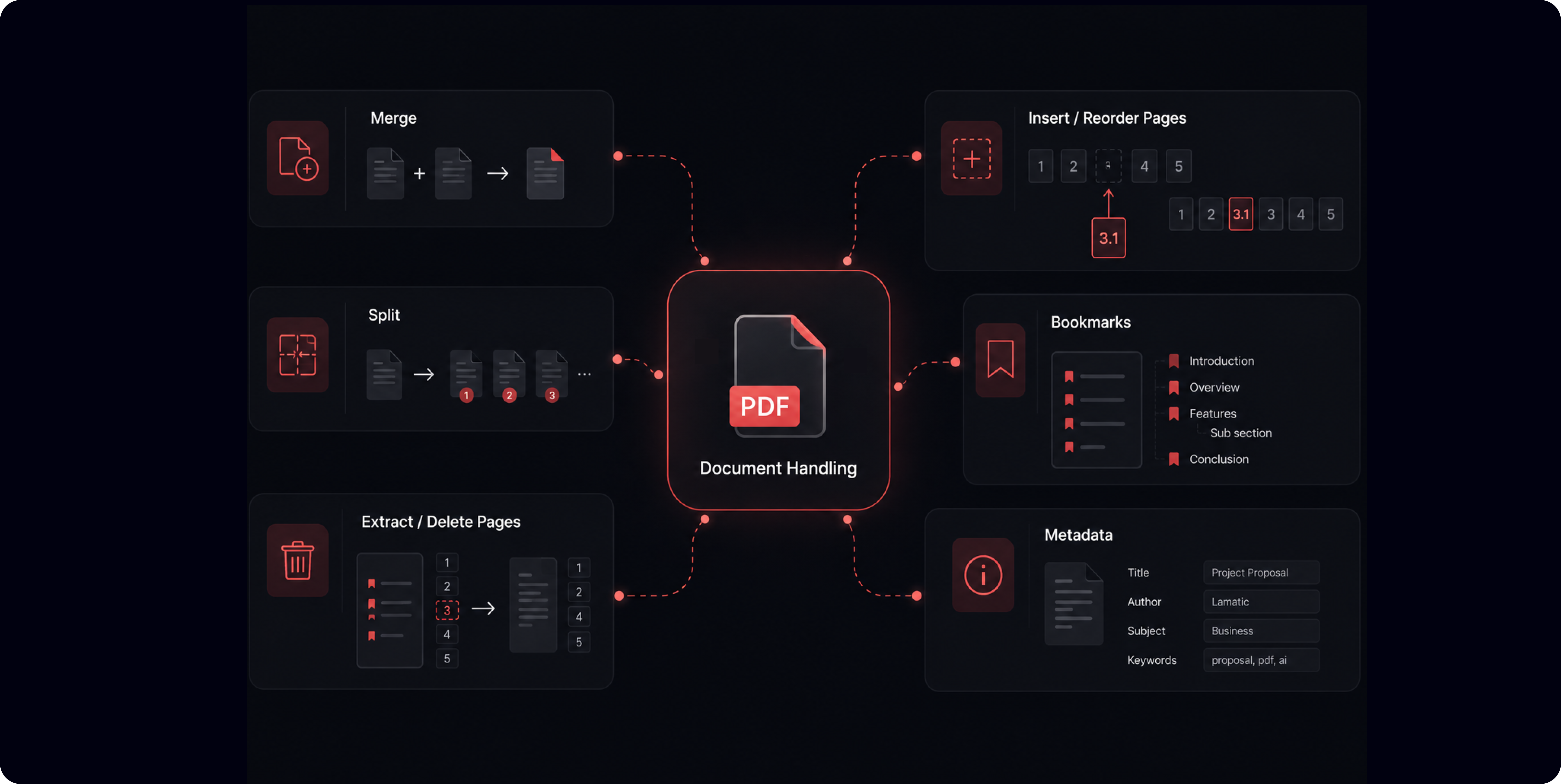
The Document Handling node has 14 different functionalities that you most frequently need combined into one node :

Merge (1)

  • Merge: combine multiple PDFs in order, with optional per-document page ranges and bookmark preservation

Split (3)

  • Every N pages: one file per N-page chunk

  • At specific page numbers: split exactly where you choose

  • Every page: one file per page

Pages (5)

  • Extract: pull selected pages into a new document

  • Delete: remove selected pages

  • Insert blank pages: add blank pages at a chosen position

  • Insert from document: splice in pages from another PDF

  • Reorder / duplicate: rearrange pages, or repeat a page number to duplicate it

Bookmarks (3)

  • List: read the document's outline

  • Set: write a new outline, either replacing the existing one or adding to it

  • Remove: strip all bookmarks

Metadata (2)

  • Get: read title, author, subject, creator, and keywords

  • Set: write those fields

What this unlocks

  • Assemble a cover page, generated report, and appendix into one client-ready PDF.

  • Split a 400-page scan into chapters before sending it through extraction, so you're not OCRing the whole thing to read page 12.

  • Strip a boilerplate cover or splice a signed addendum into an existing contract.

  • Stamp metadata on every document a publishing pipeline produces.

  • Read a PDF's bookmark outline to figure out its structure before you decide how to chunk it.


How it works

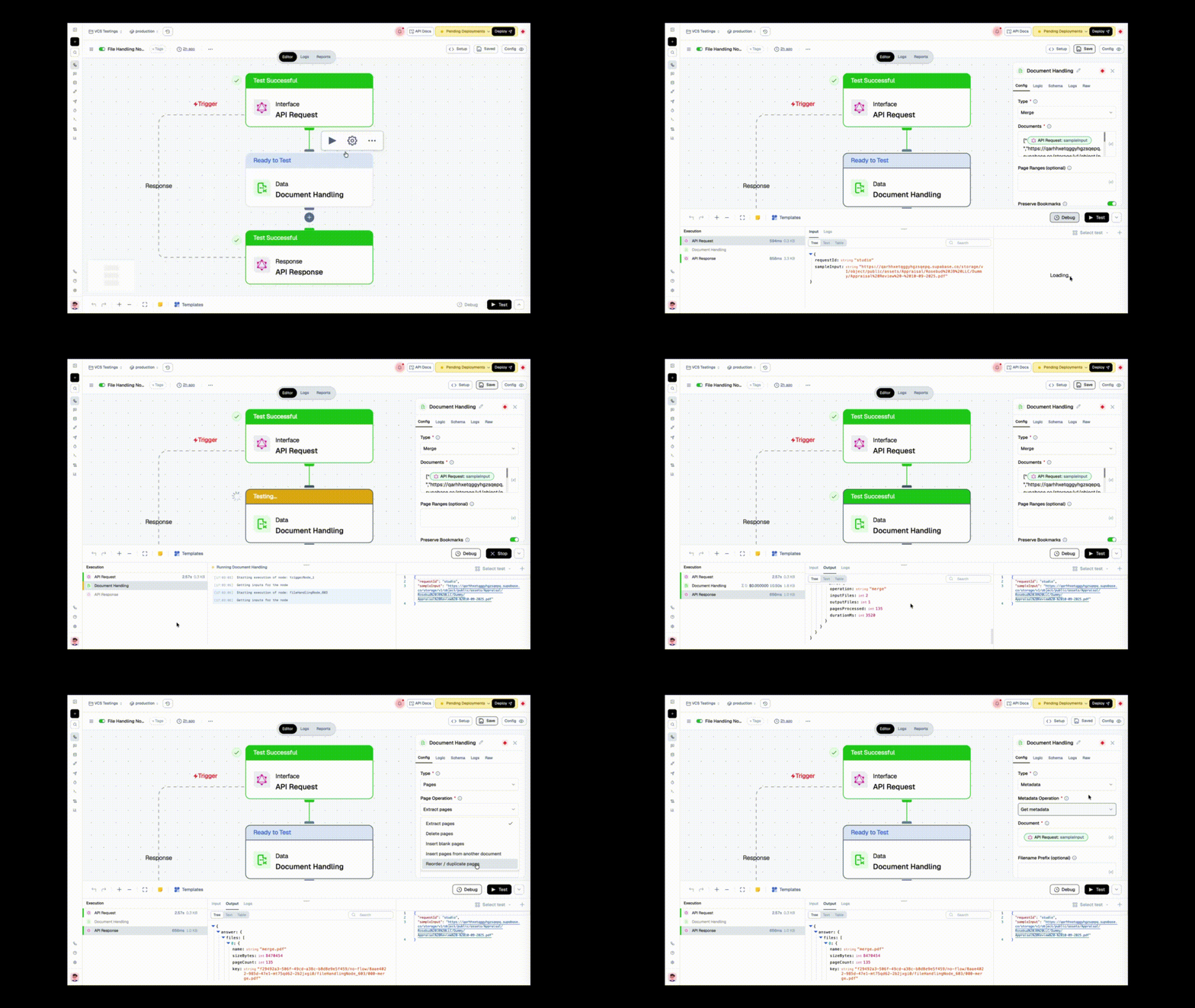
Pick a Type first, then the operation for that type. You only see the fields that matter for what you're doing, no scrolling past twelve irrelevant inputs to find the one you need.

Documents go in as URLs and come out as URLs: every operation that produces a file returns a presigned URL plus a durable storage key, so the shape is the same every time and downstream nodes always know what to expect. Whole PDFs never land in your workflow state or your logs. List Bookmarks and Get Metadata return their data directly instead of a file.

Two things called out in the node UI so they don't surprise you: password-protected PDFs are rejected (Get Metadata is the exception; it can still read an encrypted document), and Extract, Insert, and ranged Merge can drop annotations, outlines, or form fields from the pages they touch.

Checkout the docs for more details.
New

Extract data from documents, query MSSQL, all without leaving Studio.

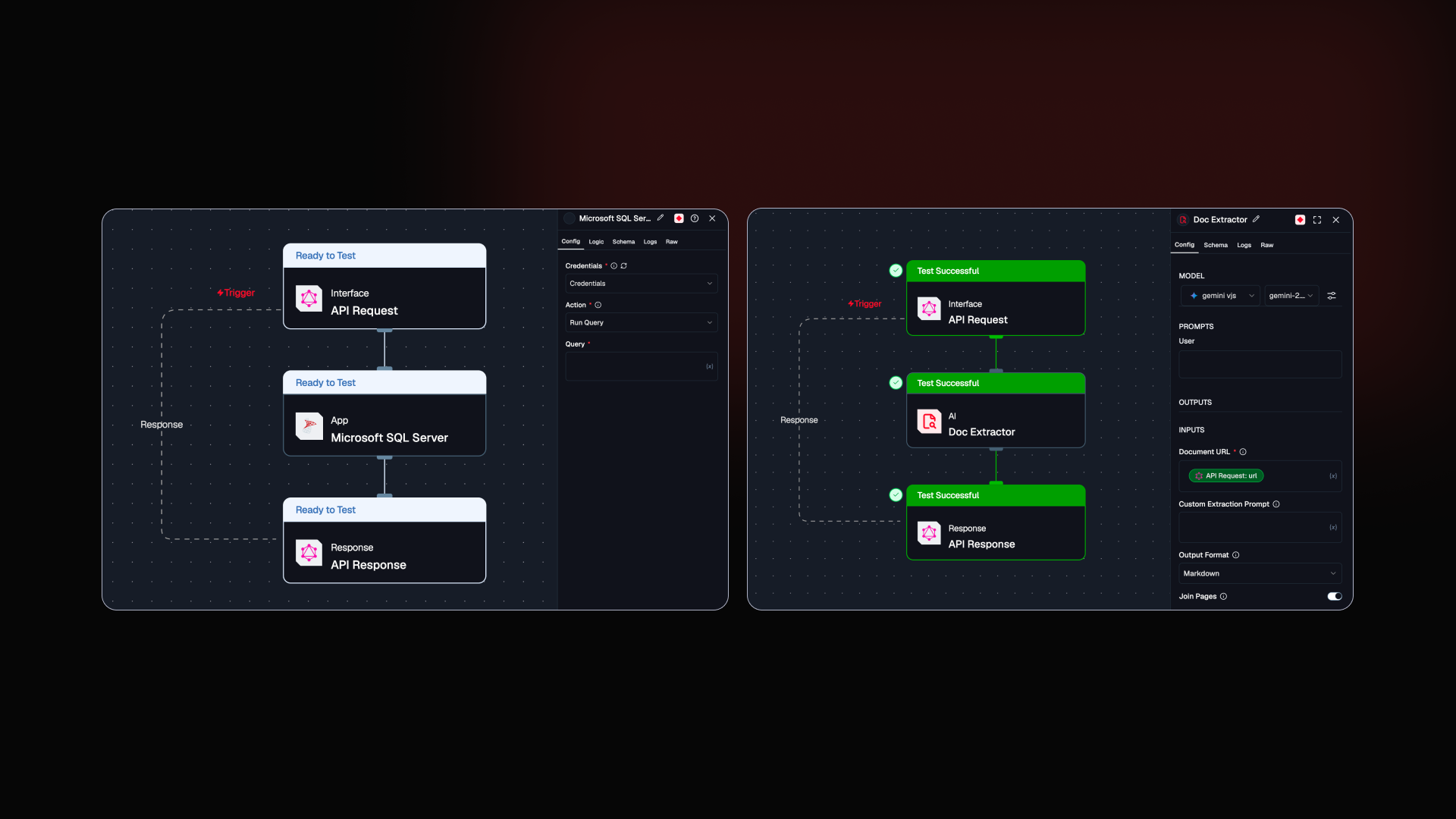
Two new nodes this release. Doc Extractor brings LLM-powered document extraction natively into your flows. MSSQL brings direct database access into Studio. Plus a round of fixes that were affecting real workflows.

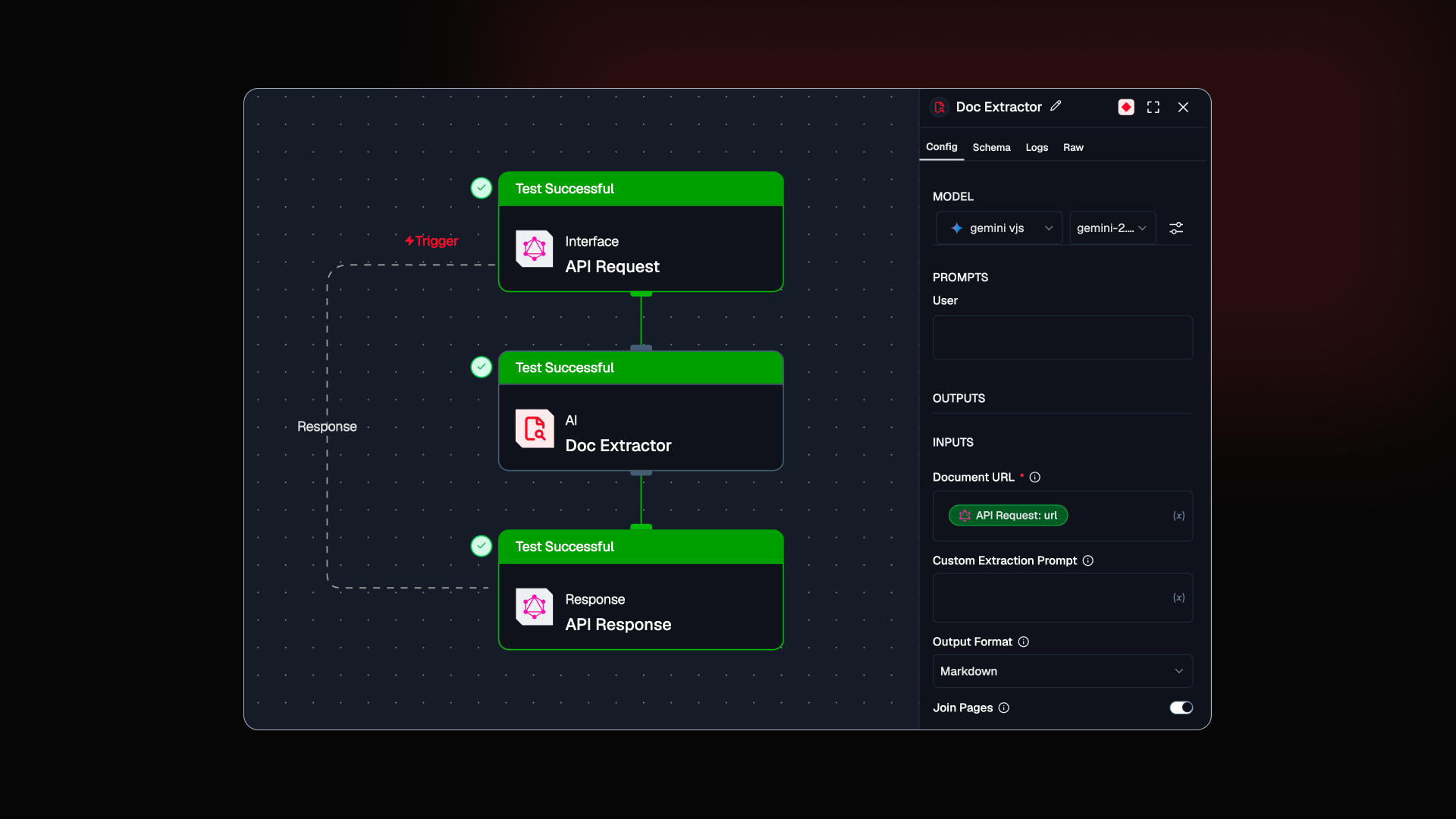
New Doc Extractor Node: pull structured data from any document, right inside your flow.

Extracting structured data from PDFs and images used to mean stitching together OCR tools, custom parsers, and manual cleanup before anything useful came out. The Doc Extractor node does all of that inside Lamatic, in one step, using an LLM prompt you control.

This one came from the team hitting the same wall repeatedly while building document-heavy workflows.

  • PDF and Image Support: Extract from any document using a URL

  • Prompt-Controlled Extraction: Define what to extract and how to format it using a plain prompt

  • Flexible Output: Returns JSON, markdown, or plain text ready for downstream nodes

  • Multi-Page Documents: Combine multi-page outputs or process page by page

Checkout the doc →


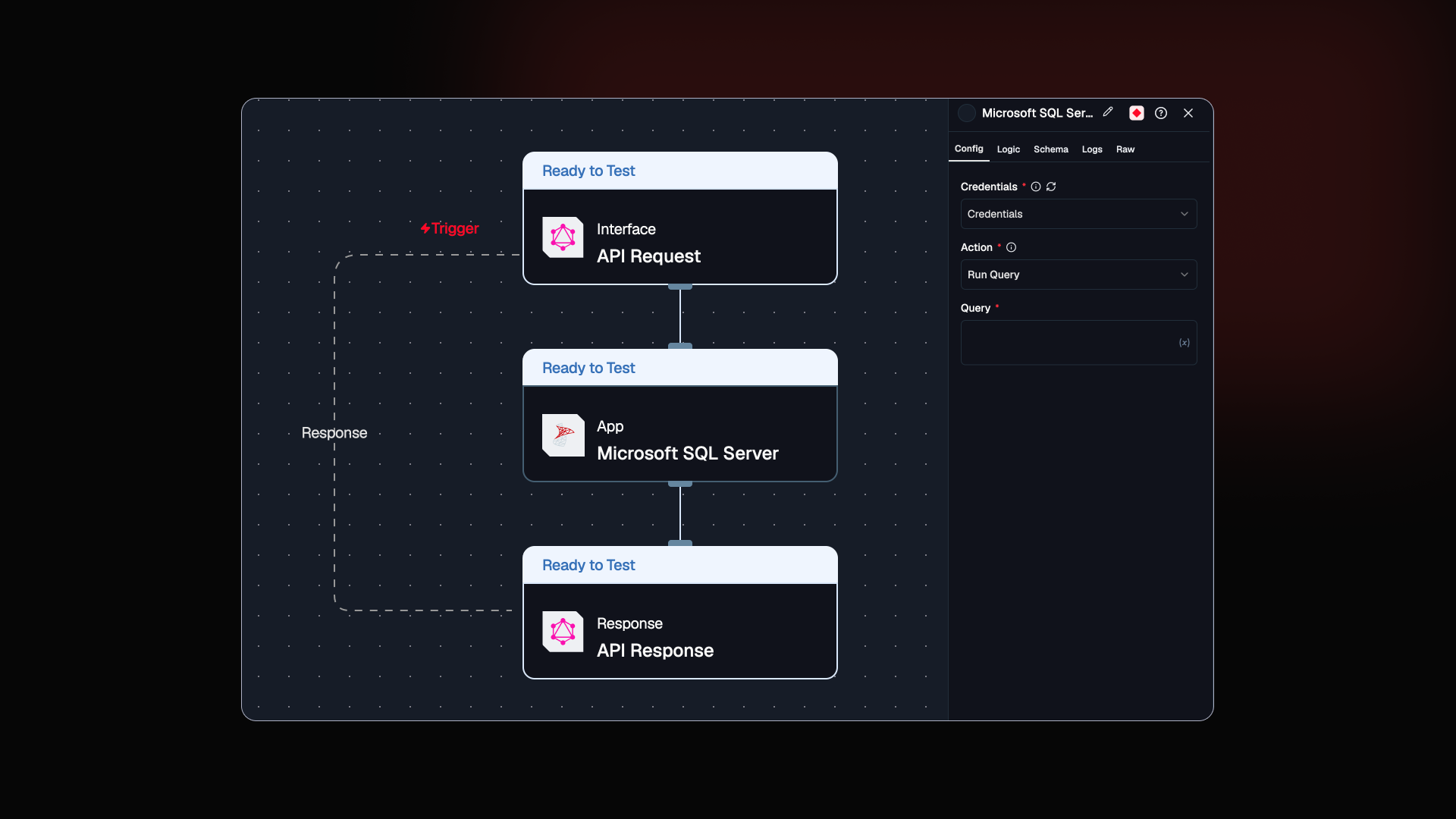
New MSSQL Integration: query your database without leaving Studio.

Testing queries against MSSQL used to mean switching between external tools, validating data outside your workflow, then bringing results back in. You can now connect directly to your MSSQL database from inside Studio and run queries in the same place you build.

  • Dedicated MSSQL Node: Connect with credential configuration built in

  • Query Editor: Write and execute SQL queries directly inside the node

  • Live Results: View query output inside Studio as you build

  • Connection Testing: Verify your database connection without leaving the platform

Checkout the doc →


Improved Four fixes. All of them were affecting real workflows.

  • Stripe Subscriptions: Subscription access issues with Stripe are now handled correctly, reducing unexpected access problems

  • Templates: Fixed cases where templates were not loading or being found correctly

  • Keyboard Navigation: Smoother focus behavior across forms for faster, more accessible input

  • Loading States: Clearer indicators when actions are in progress so you always know what Studio is doing

New

Your Agents just got a lot faster. And building prompts got a lot simpler.

Two big ones this release. Batch Node brings parallel execution to your flows, making them faster. The Prompt IDE is rebuilt from the ground up. Plus a round of smaller improvements across logs, docs, and the editor.

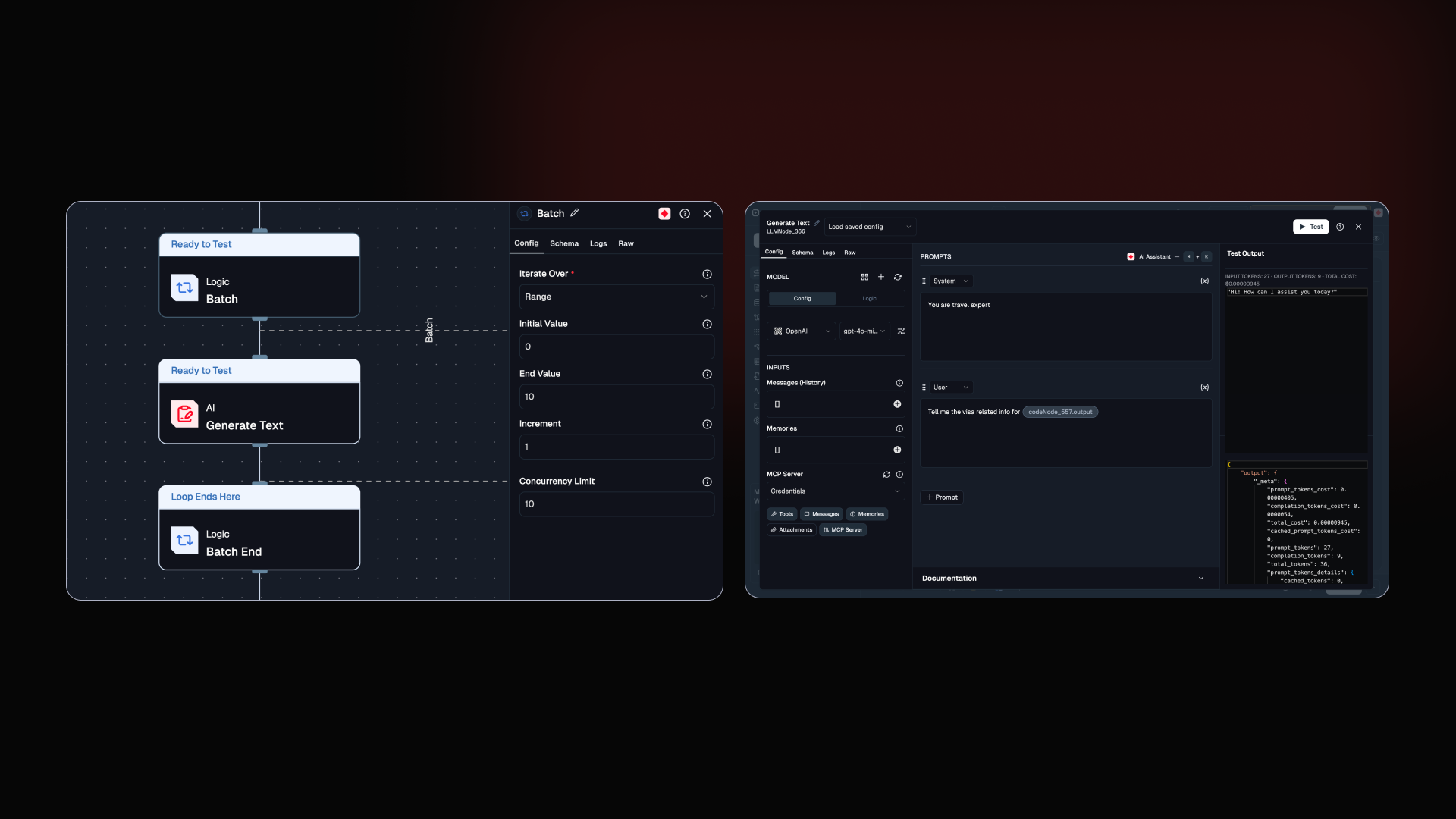
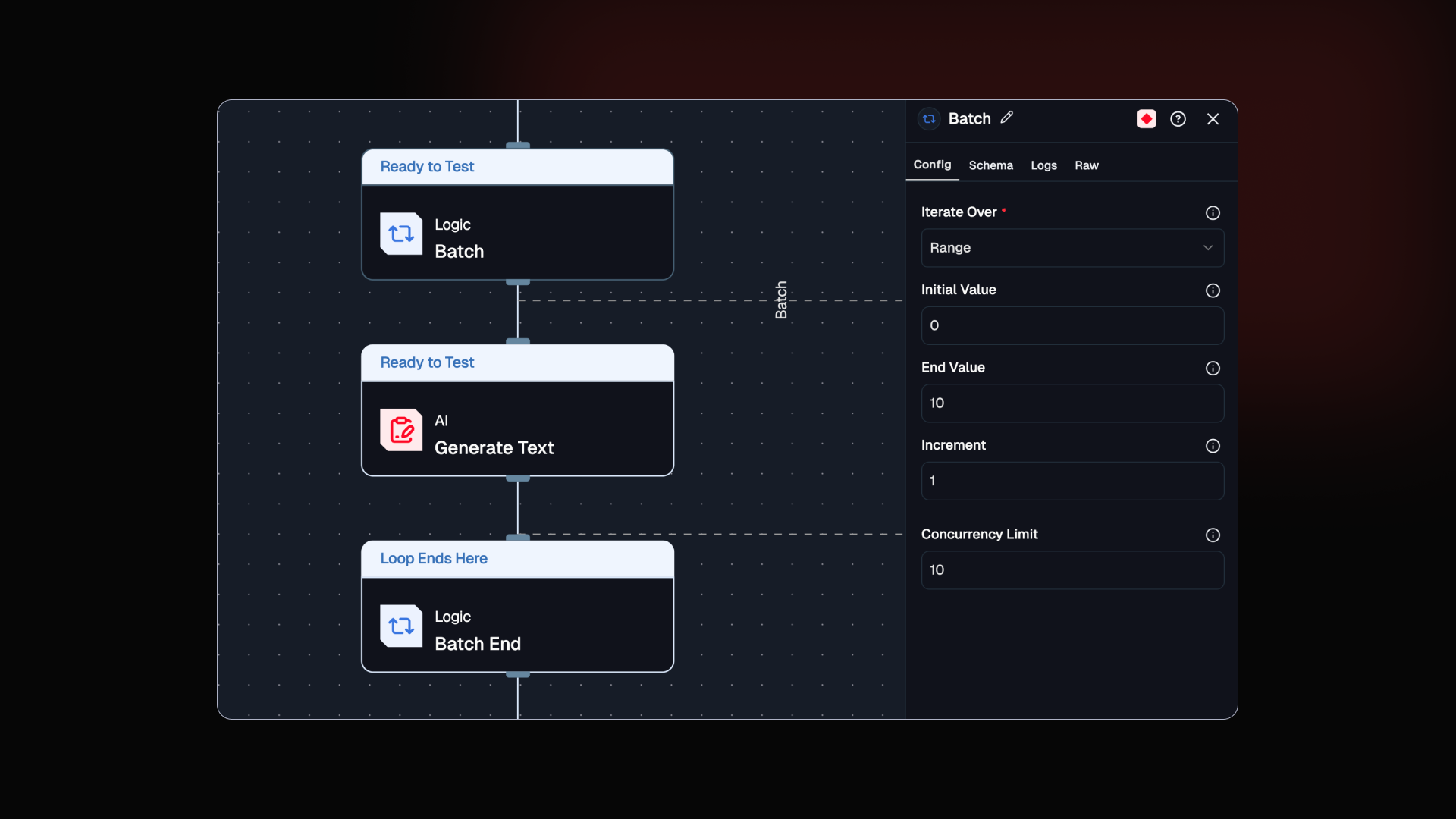
New Batch Node: your Agents can now run in parallel.

The Loop node processes one item at a time. Batch Node processes all of them at once. The difference is not subtle: 100 tasks that take 50 seconds sequentially finish in 5 seconds at a concurrency of 10. For I/O-bound workflows, that is a 5 to 10x speed improvement out of the box.

Built for the people who watched Loop nodes crawl through large datasets and wondered if there was a better way. There is now.

  • Parallel Execution: Processes multiple iterations at the same time instead of one by one

  • Concurrency Control: Set a limit to scale fast without hitting rate limits or overloading downstream services

  • Lists and Ranges: Works with both list inputs and numeric ranges

Batch Node Docs →

New The Prompt IDE is rebuilt. Write, test, and see costs all in one place now.

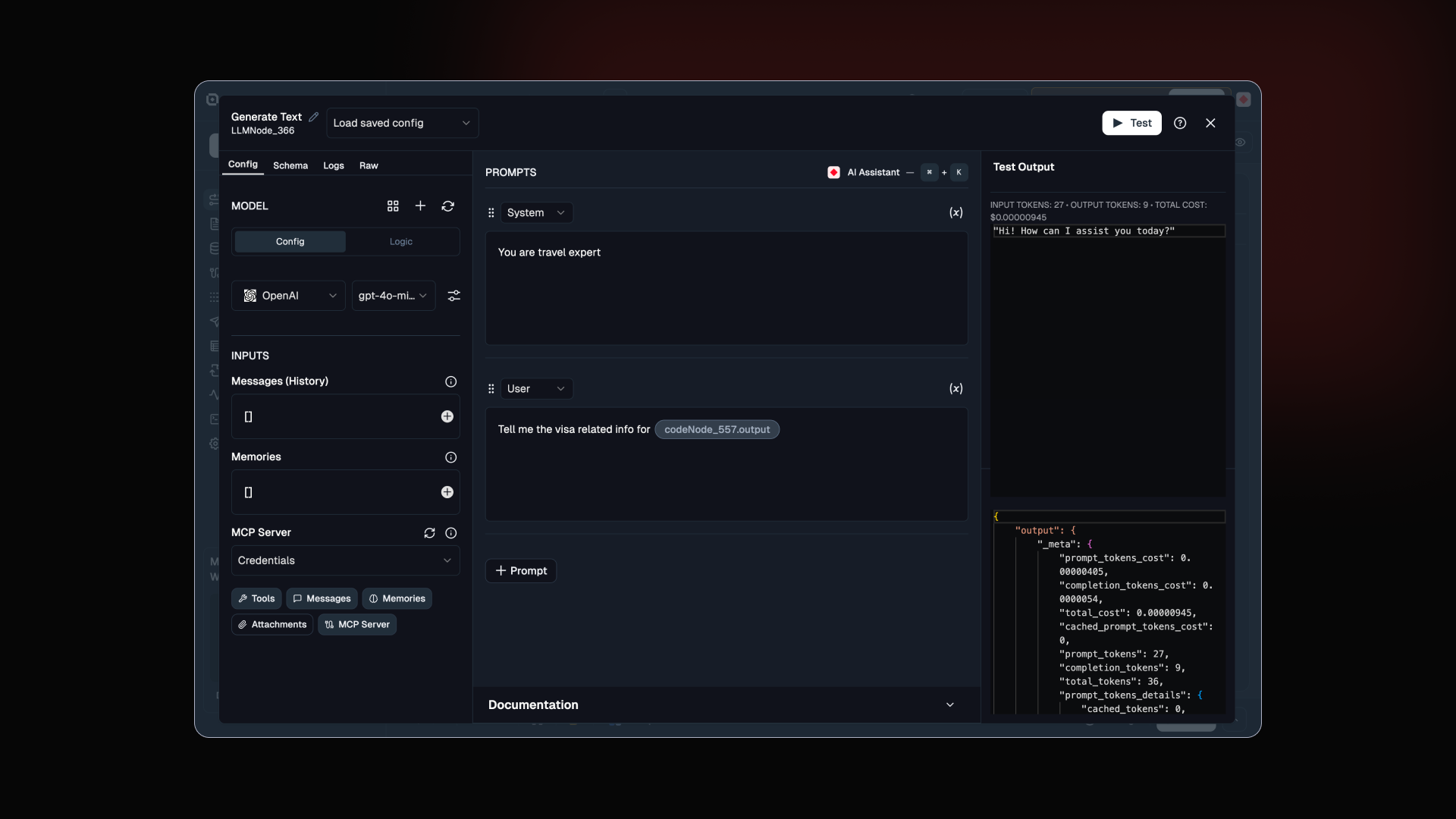
Prompt engineering now has a proper home in Lamatic. Structured blocks, an AI assistant working alongside you, and instant cost feedback before anything goes to production. All in one screen.

This came from watching people bounce between the editor and external tools just to test one prompt.

  • System and User Blocks: Separate role-based sections so your prompt structure is clear from the start

  • Prompt Assistant: Writes and refines prompts alongside you, right inside the editor

  • Instant Testing: Run prompts in real time and see output, token usage, and cost before your flow ever deploys

[Prompt IDE docs →]

Improved Five things we shipped this week. Some small. All worth it.

  • Docs: Copy any page as Markdown or open it directly in Claude or ChatGPT. Less tab switching, faster iteration

  • Dark Mode: Cleaned up styling on AI suggestion buttons and separators

  • Node Config: Better node configuration layout and a cleaner Code IDE

  • Text Rendering: Text no longer overflows or wraps awkwardly in prompts and logs

  • Code Editor: Removed variable previews and auto-formatting for a more stable editing experience

Try it in Studio →

NewImproved

Earlier updates